What can you change in Number Series settings, and what does Premium add?
Settings has seven sections — Account & Backup, Subscription, Appearance, Game, Notifications, Privacy and About & Help — reached from the gear icon at the top of the Play tab. Premium is optional and adds extras on top of the games, such as step-by-step explanations, more streak freezes and unlimited practice.
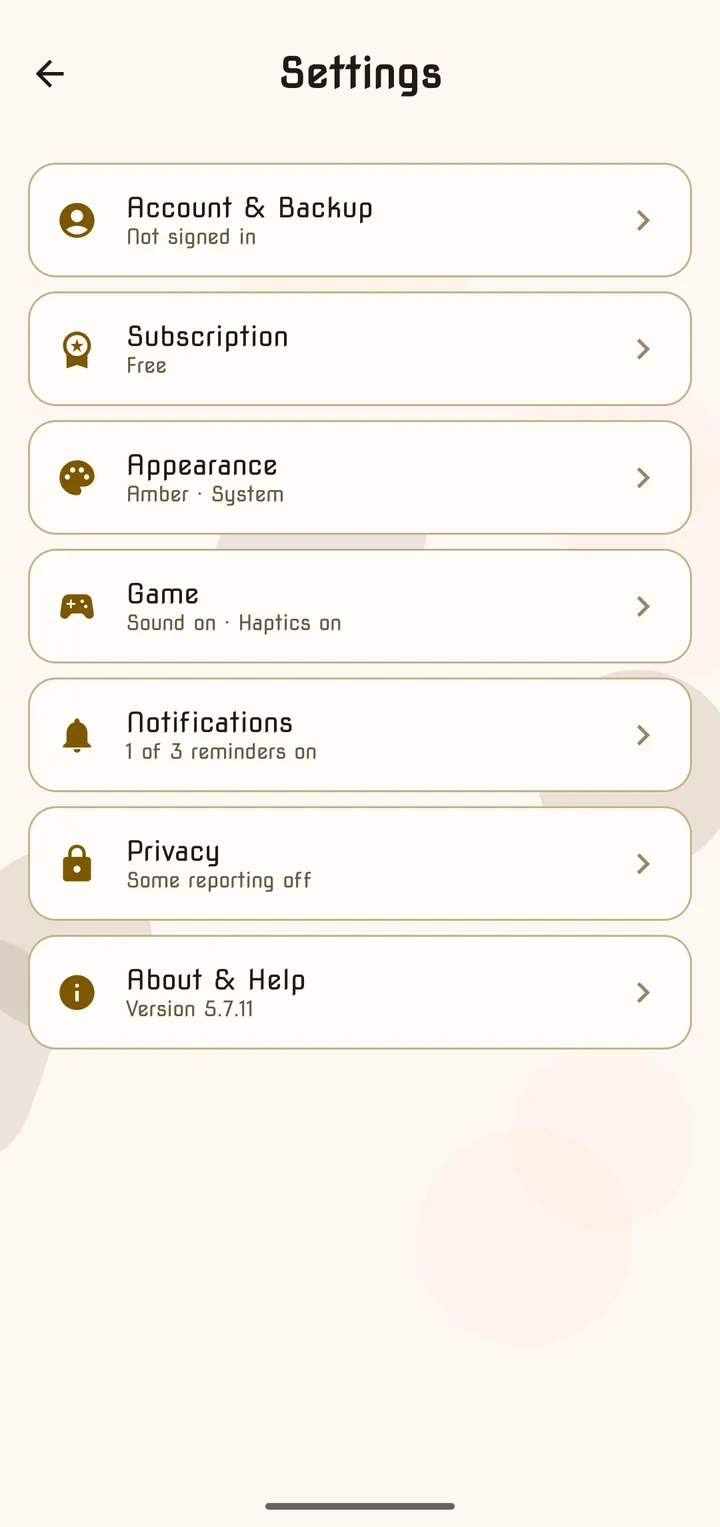
Tap the ⚙ gear at the top right of the Play tab. Each section shows a one-line summary, such as “Amber · System” or “Sound on · Haptics on”.
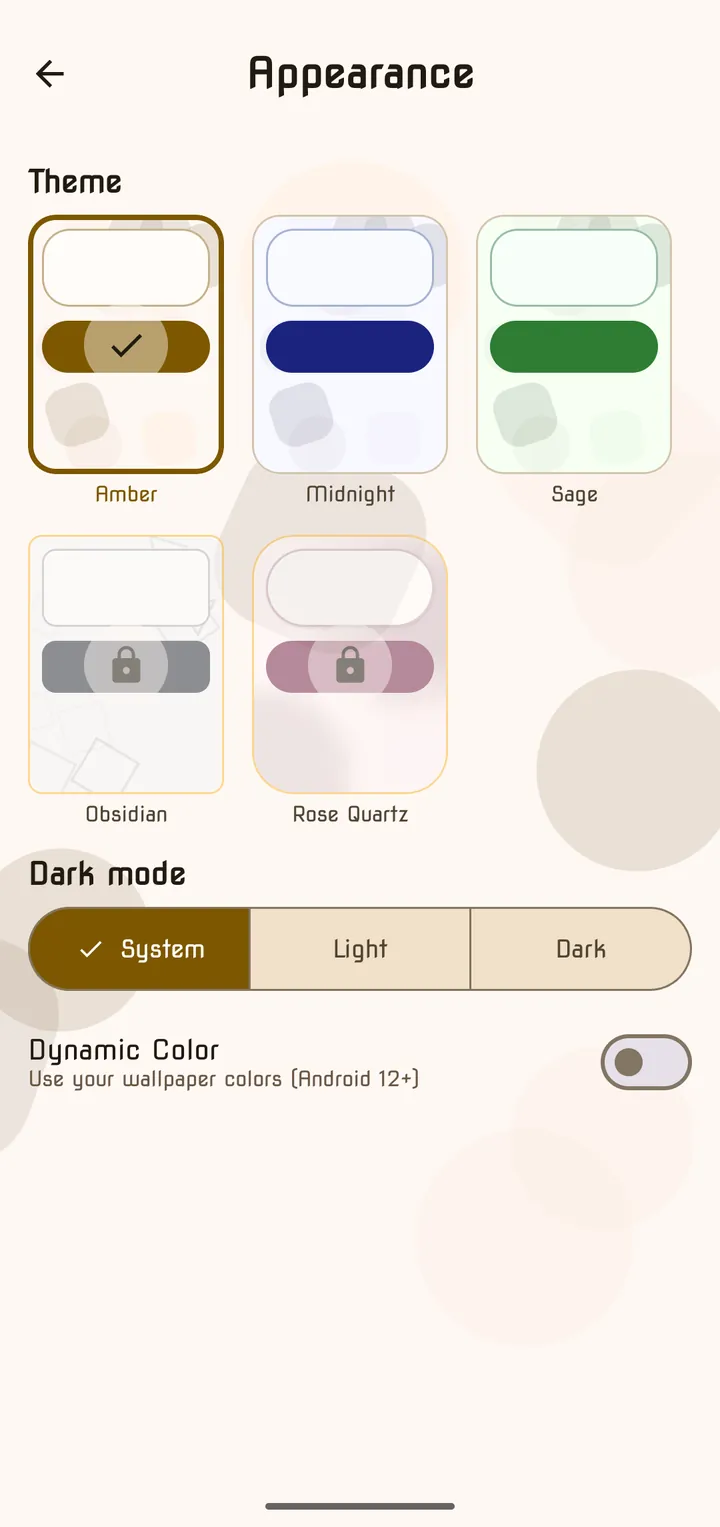
Appearance
| Setting | Options |
|---|---|
| Theme | Amber, Midnight, Sage — plus Obsidian and Rose Quartz with Premium |
| Dark mode | System · Light · Dark |
| Dynamic Color | ”Use your wallpaper colors (Android 12+)“ |
Game
| Setting | What it does |
|---|---|
| Sound Effects | ”Play sounds for correct/wrong answers and game events” |
| Vibration | Vibrates on correct and wrong answers — also needs vibration and haptics on in Android settings |
| Word Language → Local language | ”Choose the language for clue words in Classic mode” |
| Brain Training → Customize daily games | Pick your own four daily mini-games |
| Streak Freezes | How many Daily Challenge freezes you have and when they refill |
| Kakuro freeze | Whether this month’s Kakuro freeze is available |
| Reset Game Tutorials / Reset Kakuro tutorial | Shows the first-time tutorials again |
Notifications
| Reminder | When |
|---|---|
| Daily Reminder | ”Get notified when a new daily challenge is available” |
| Brain Training Reminder | ”Get notified when it’s time for brain training” |
| Friend Streak reminders | ”Get notified when a friend streak is at risk” |
| Weekly wrap notifications | Sundays at 6 PM |
| Monthly wrap notifications | Last day of each month at 7 PM |
Account & Backup
- Sign in with Google — “Sign in to carry purchases and cloud saves across devices. You can keep playing without an account.”
- Cloud Save — shows your last backup, with Back up now. If this phone and your account both have a save, you choose Keep this device or Restore account.
- Display name and Username, and — when signed in — Export my data and Delete account.
Privacy
Separate Analytics and Crash Reports switches, plus links to the Privacy Policy and Terms of Service. The app asks before collecting anything the first time you open it.
About & Help
Help & how to play opens this guide. You’ll also find what changed in the latest update, Send Feedback and the app version.
What Premium adds
Premium is optional. From the app’s own list, it adds:
- Explanations that show their working, step by step
- 4 streak freezes a month instead of 1, and credits each month to Revive a run
- Unlimited Kakuro hints with no time penalty
- Unlimited Quick Daily rounds and hints, plus each daily’s extra (Equatle Maxi and hard mode, every Target solution and Hectoc, Sequence Set rule explanations, 4- and 5-shape Symbol Sums, Daily Estimate calibration)
- Mistake Practice without the weekly limit, Practice Studio with the Expert difficulty, unlimited Brain Training practice, and the Daily Archive
- Hourly cloud sync with your full play history, and every past Wrap kept
- The Obsidian and Rose Quartz themes, and a gold ring around your avatar
Manage or cancel it under Settings → Subscription → Manage subscription, which opens Google Play.
Frequently asked questions
- How do I change the app's language?
- Number Series follows your phone's language. It is available in English, German, Spanish, French, Hindi, Indonesian, Japanese, Korean, Portuguese, Romanian, Turkish and Chinese. The Word Language setting only changes the clue words in Classic.
- Will I lose my progress if I change phones?
- Not if you sign in with Google under Account & Backup — your progress backs up to your account and is restored when you sign in on the new phone. Without an account, progress stays on the device.
- How do I cancel Premium?
- Go to Settings → Subscription → Manage subscription, which opens Google Play, where you can change plan or cancel. Restore purchases brings an existing subscription back on a new device.
- How do I delete my account or my data?
- When signed in, Account & Backup has Export my data and Delete account. Deleting your account does not cancel a Google Play subscription — cancel that in Google Play.
Last updated