Number Series — the complete help guide
Number Series is a collection of number puzzles and brain games for Android. This guide explains how to get around the app and how to play each game — one topic per page, in plain words, using the same names you see on screen.
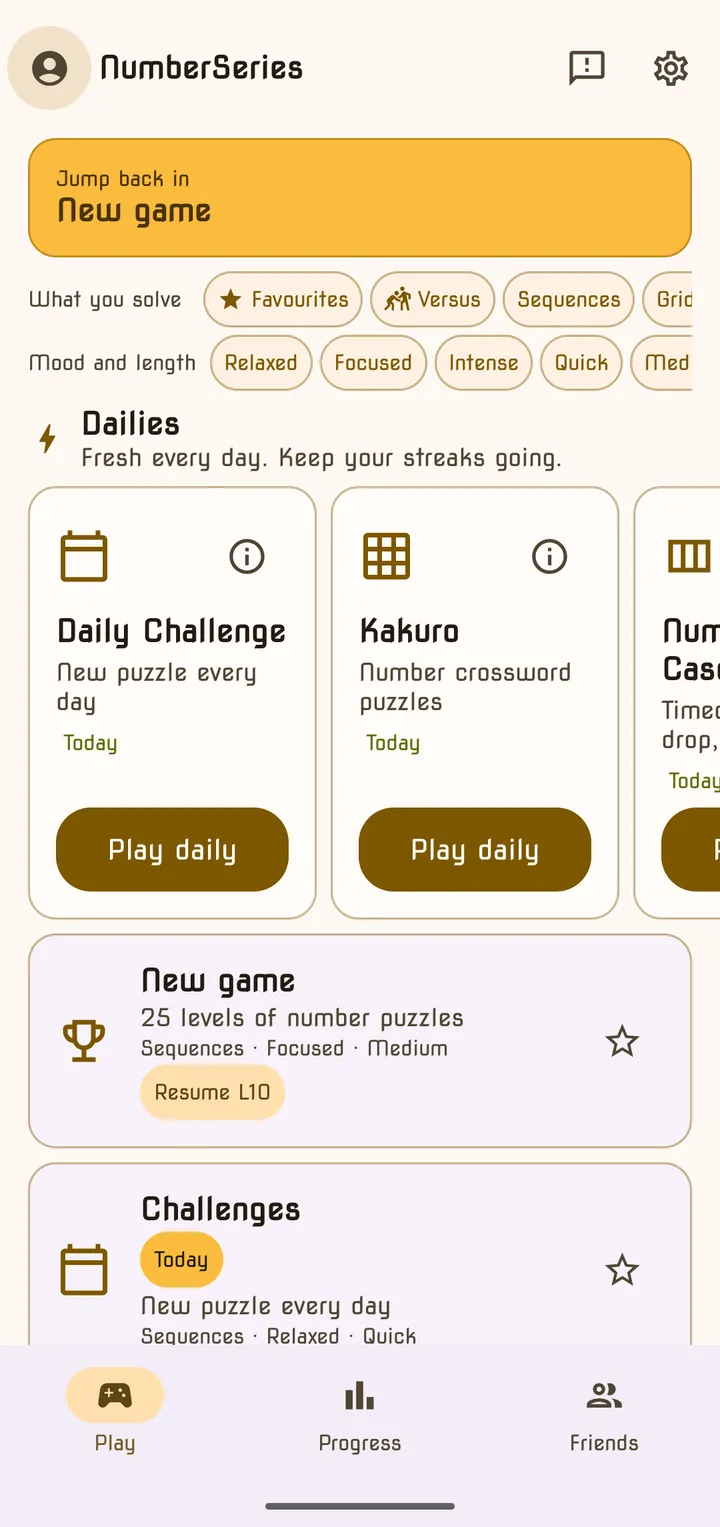
Number Series has a lot of games in it, and they are deliberately different from each other: some are calm and untimed, some race the clock, some are one puzzle a day and some never end. This guide walks through all of them.
How the guide is organised
| Page | What it covers |
|---|---|
| Getting started | The three tabs, the filters, favourites and your first puzzle |
| Puzzle types | The five kinds of number puzzle, and how hints and explanations work |
| Classic & Daily Challenge | The 25-level Classic game with its hidden word, and the puzzle of the day |
| Marathon, Speed Blitz & Zen | Endless, timed and relaxed ways to play sequence puzzles |
| Category Mastery | Collecting stars across all 40 puzzle generators, plus the practice extras |
| Duel & Weekly Tournament | Playing against friends and against everyone else |
| Quick Dailies | Equatle, Target, Sequence Set, Symbol Sums and Daily Estimate |
| Kakuro | The number crossword |
| Number Cascade & Math Maze | The falling-tile arcade game and the arithmetic maze |
| Brain Training | The daily four and how to play all 18 mini-games |
| IQ Test | The three test lengths, the five abilities and your score |
| Progress & rewards | XP and ranks, the cognitive profile, trophies, avatars and your Wrap |
| Settings & Premium | Themes, sound, reminders, your account, and what Premium adds |
Where to start
If you have just installed the app, read Getting started first. If you already know your way around and want the rules for one game, jump straight to its page from the list on the left.
Frequently asked questions
- Where do I start if I have never played?
- Open the Play tab and tap Challenges for today's Daily Challenge, or New game for Classic. Your very first puzzle walks you through how it works, and every mode shows a short tutorial the first time you open it.
- Do I need an account?
- No. You can play every mode without signing in. Signing in with Google adds cloud backup of your progress and the Friends features.
- Can I see a mode's rules again later?
- Yes. Every game screen has an info button in the top right corner that opens the rules, and Settings → Game → Reset Game Tutorials brings back all the first-time tutorials.
Last updated