How does Seasons show real weather on your wallpaper?
Turn on Weather Sync and Seasons matches your real local weather, drawing rain, snow, fog, drifting clouds and thunderstorms across the scene — twelve conditions in all. Prefer to set the mood yourself? Switch from Auto to Manual and choose the weather by hand.
Turning weather on
The main switch is Enable Weather Sync, described in the app as “Synchronize weather conditions to enhance wallpaper effects”. With it on, Seasons fetches the weather for your location and draws it into the scene. There are twelve weather conditions, from Clear Sky through Fog and Heavy Rain to Thunderstorm — the full list is below.
It needs location permission to know what weather to fetch. If you would rather not grant it, use Manual mode below instead.
Auto or Manual
| Mode | What it does |
|---|---|
| Auto | Follows the real weather at your location |
| Manual | You choose the condition, and it stays until you change it |
The twelve conditions
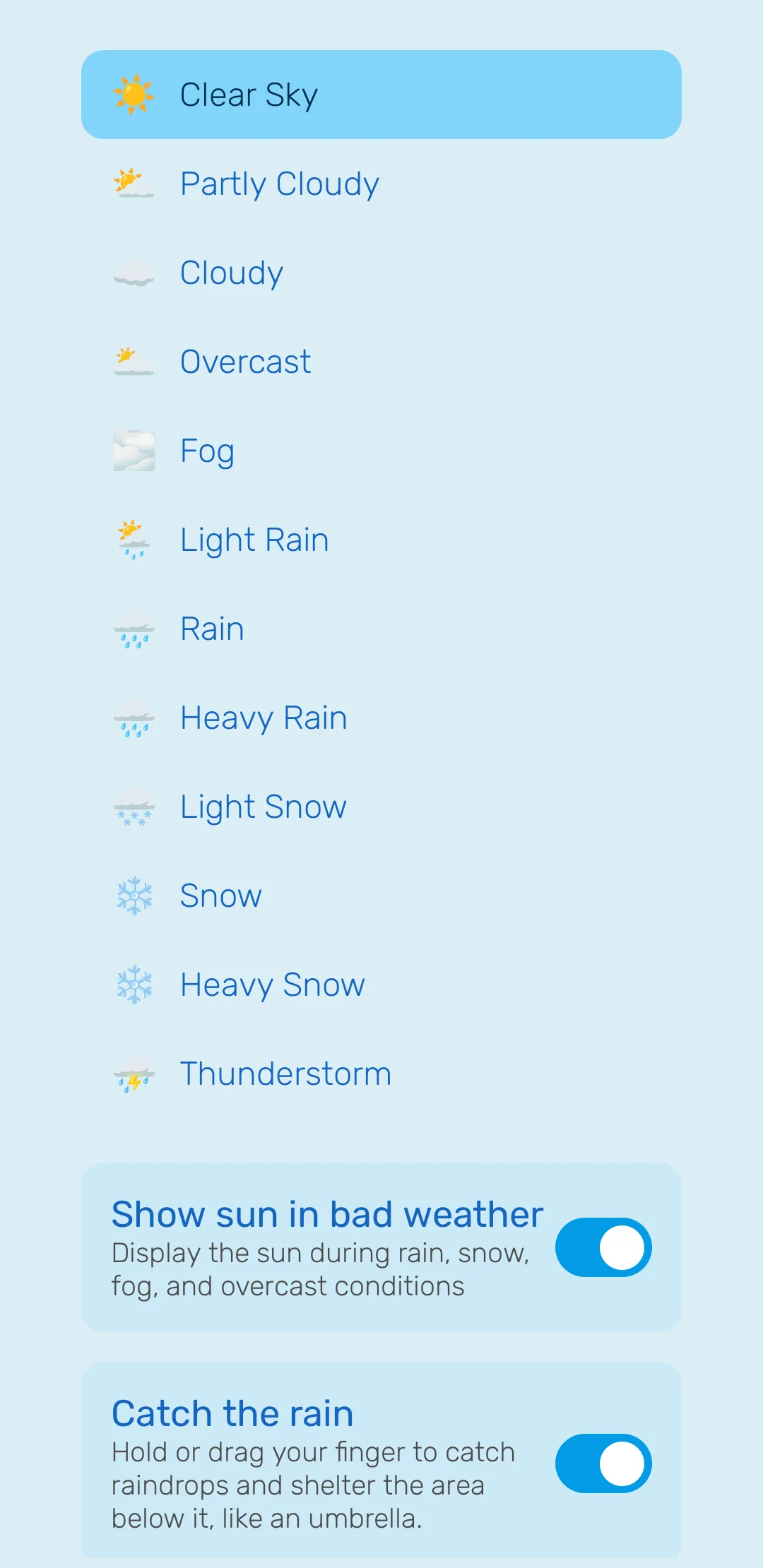
In Manual mode the full list is shown, which is also exactly what Auto can pick from:
| Condition | |
|---|---|
| 1 | Clear Sky |
| 2 | Partly Cloudy |
| 3 | Cloudy |
| 4 | Overcast |
| 5 | Fog |
| 6 | Light Rain |
| 7 | Rain |
| 8 | Heavy Rain |
| 9 | Light Snow |
| 10 | Snow |
| 11 | Heavy Snow |
| 12 | Thunderstorm |
Manual is genuinely useful, not just a fallback. If you want a permanent thunderstorm, or snow in July, this is how — and it needs no location permission at all.
The settings screen shows the current condition, when it was last updated and the observation time, so you can tell at a glance whether the data is fresh.
The individual weather effects
Each of these can be turned on or off independently, using the app’s own wording:
| Setting | What it does |
|---|---|
| Rain on glass | Show realistic raindrops trickling down the screen, like rain on a window. |
| Frost on glass | Show frost creeping in from the edges of the screen in cold, snowy weather. |
| Catch the rain | Hold or drag your finger to catch raindrops and shelter the area below it, like an umbrella. |
| Rainbow | Show a colorful rainbow when there is light rain or after rain passes. |
| Show sun in bad weather | Display the sun during rain, snow, fog, and overcast conditions |
Catch the rain is the one people miss. Hold a finger on the screen during rain and it acts as an umbrella, sheltering the area beneath it — the droplets divert around your finger.
Show sun in bad weather is a taste setting rather than a realism one. Realistically the sun hides behind heavy cloud; some people would rather always see it. Off is accurate, on is cheerful.
Where Rain on glass is unavailable
Rain on glass does not work in Paper Cut, Pixel Art, Minimal or Paper Cut v2. Those four styles use flat, graphic artwork that the glass effect would fight against, so the app disables it rather than showing something broken. Every other weather effect works in all 18 styles.
An honest word about accuracy
This is worth quoting directly, because it is the app’s own disclaimer:
Weather data is updated periodically and may not reflect current conditions. This feature is for visual enhancement only, not for weather forecasting.
Treat it as atmosphere, not as information. If it is drizzling on your screen and dry outside, the feature is working as designed — the data simply refreshed a while ago.
Frequently asked questions
- Is this a weather forecast app?
- No. The app states it plainly — weather data updates periodically and may not reflect current conditions, and the feature is for visual enhancement only, not for weather forecasting. Do not plan your day around it.
- Why is my weather not updating?
- Weather sync needs location permission, and the data refreshes periodically rather than continuously. Check the permission first, then give it time. The settings screen shows the last update and the observation time.
- Can I have rain without it actually raining?
- Yes. Switch the mode from Auto to Manual and pick the condition you want. It stays until you change it.
- Why can I not turn on Rain on glass?
- It is unavailable in Paper Cut, Pixel Art, Minimal and Paper Cut v2. Every other style supports it.
Last updated