How does the day-night sky and moon phase work in Seasons?
Seasons works out where the Sun is from your latitude, longitude and the date, then paints the sky to match — sunrise through golden hour to a starry night. At night the moon follows its true phase, and you can override both the time of day and the phase by hand.
How the sky is calculated
Seasons uses your device’s latitude and longitude together with the current date to work out where the Sun is, then paints the sky to match. That is why the app’s own description says the more accurate your location settings, the more precise the transitions will be — this is real solar positioning, not a timer.
In practice the sky moves through six named phases:
| Time of day |
|---|
| Sunrise |
| Morning |
| Midday |
| Afternoon |
| Sunset |
| Night |
Choosing how location is determined
Two switches on the Auto-Night & Day settings screen control this, and the app is refreshingly blunt about the trade-off:
| Setting | What the app says |
|---|---|
| Manual selection | ”Will provide poorer results and requires to manually pick up the country you are located.” |
| Precise location | ”Will require location permission to get the current location and will provide the most accurate results.” |
Manual selection asks you to search for your country, and optionally a state. No permission is needed, but a country is a large area — sunrise on one side of it can be a long way off sunrise on the other, so the sky can look out of step with your window.
Precise location needs Android’s location permission and gives the accurate result. If you have already granted location for weather sync, this costs you nothing extra.
Overriding the time of day
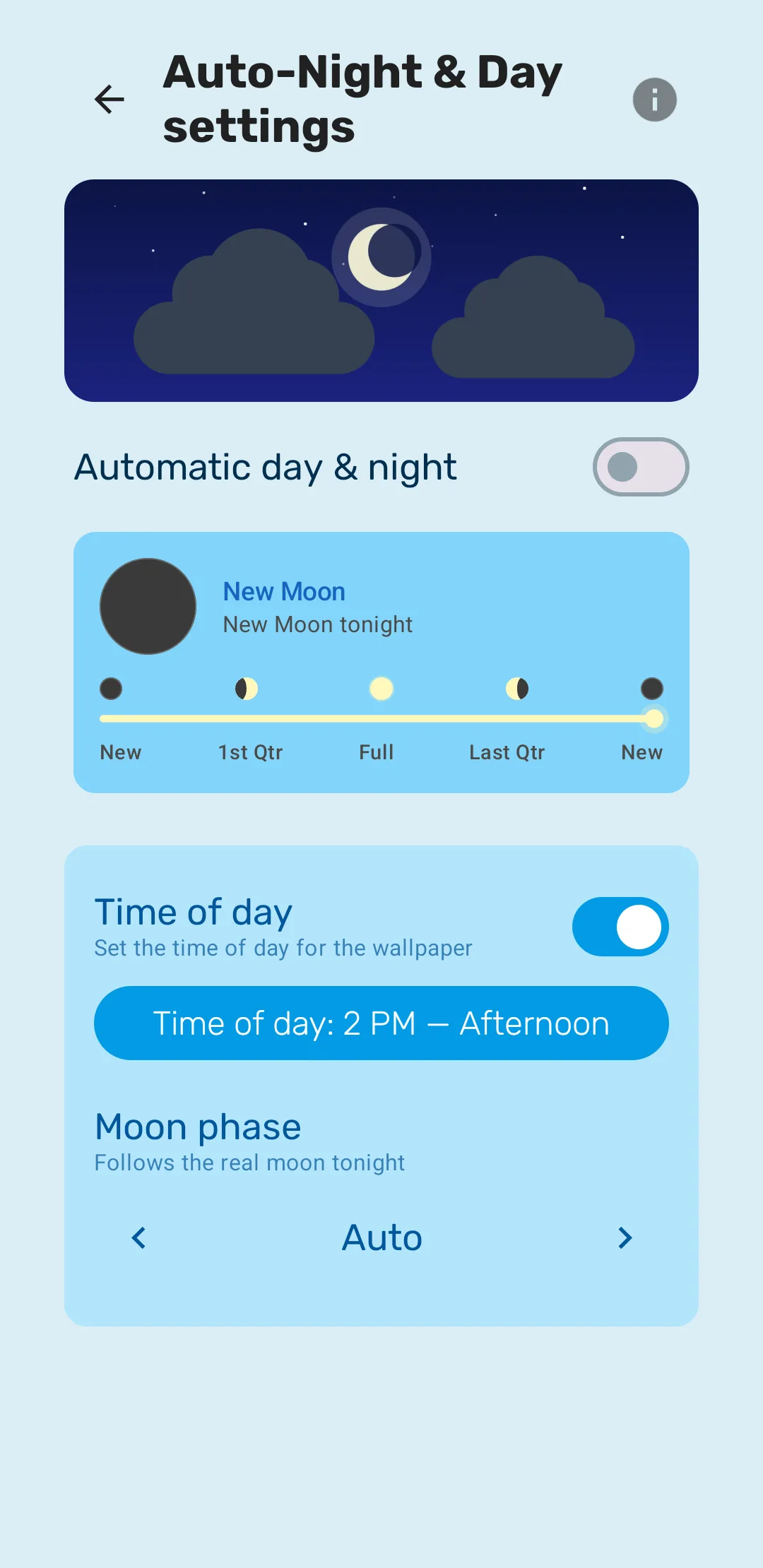
Time of day — “Set the time of day for the wallpaper” — lets you freeze the sky at whichever phase you like. Pick Sunset and it stays at sunset all day. This is the setting to use if you love one particular light and would rather not wait for it.
Turn the override off again and the sky resumes tracking the real Sun.
The moon
At night the moon appears with its correct phase. Moon phase is set to Auto by default, which the app describes as “Follows the real moon tonight” — so a waxing crescent outside is a waxing crescent on your screen.
You can also pick any of the eight phases by hand:
| Moon phase |
|---|
| New Moon |
| Waxing Crescent |
| First Quarter |
| Waxing Gibbous |
| Full Moon |
| Waning Gibbous |
| Last Quarter |
| Waning Crescent |
The settings screen shows a timeline running New → 1st Qtr → Full → Last Qtr → New, with tonight’s phase named above it, so you can see which one is coming and when.
Some scene styles add their own night detail on top — Mediterranean Coast draws constellations after dark, for instance. See Scene styles.
Frequently asked questions
- Why does my sky look like the wrong time of day?
- The sky is calculated from your location and the date. If you are using Manual selection and only picked a country, the result is approximate — the app itself warns that it gives poorer results. Switching on Precise location fixes it.
- Does the moon phase match the real moon?
- Yes, when it is set to Auto, which the app describes as "Follows the real moon tonight". You can also pick any of the eight phases by hand.
- Does Seasons need location permission?
- Only if you want precise results. You can pick your country manually instead, which needs no permission but is less accurate. Weather sync also uses location.
Last updated